Introduction — Claude Code vs Cursor
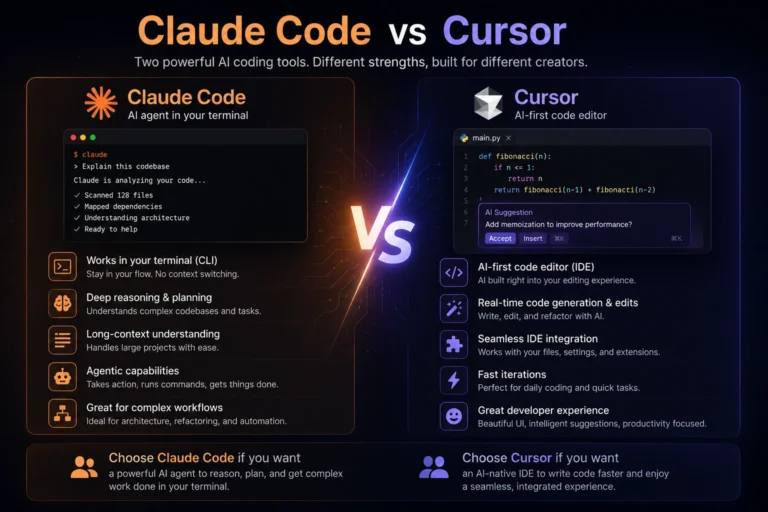
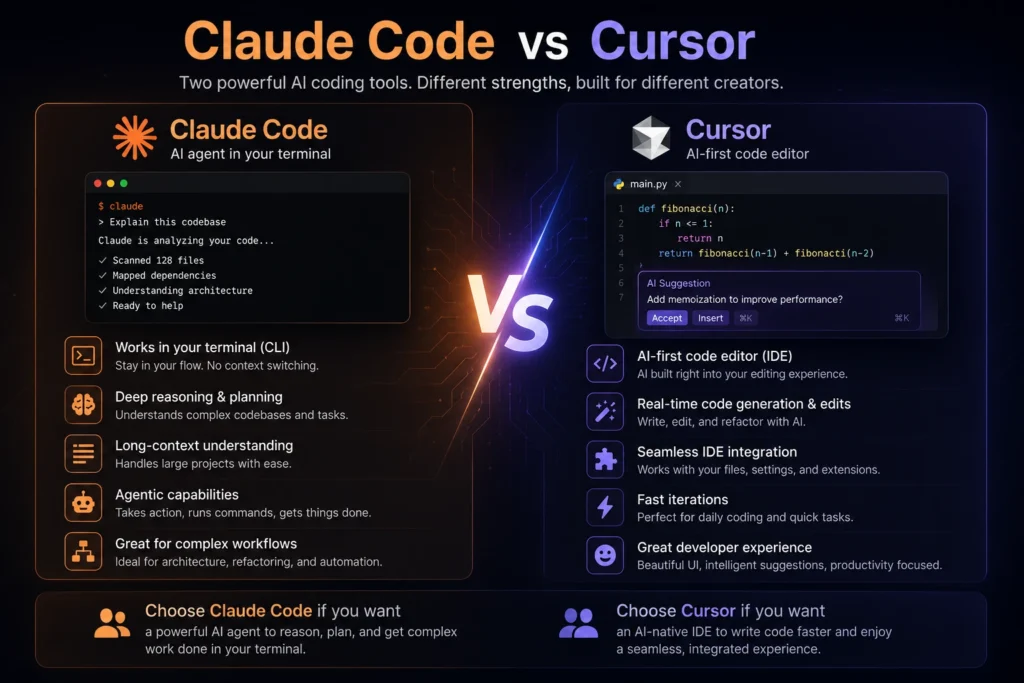
The Claude Code vs Cursor debate is growing fast among developers looking for the best AI coding workflow. While both tools improve software engineering productivity, they are built for different styles of development. Cursor enhances the traditional IDE experience with seamless AI collaboration inside a visual workspace, while Claude Code focuses on autonomous, terminal-first coding for developers who prefer command-line workflows.
A true Claude Code vs Cursor comparison is not just about features. It is about choosing between an interactive editor and a highly agentic coding environment. In this guide, we will break down the differences in workflow, architecture, cost, and developer experience to help you decide which tool fits your development process best.
1. The UX Difference — IDE vs CLI (And Why It Matters More Than People Admit)
Cursor Feels Like a Studio
Cursor operates as an AI powered IDE. It is a fork of VS Code, offering a highly visual workspace. You get seamless codebase navigation, inline diffs, and rapid tab completions. The human computer interaction is highly refined.
This modern IDE workflow excels at rapid prototyping tools. You can highlight a block of code, press a shortcut, and instruct the AI to fix a bug. It provides a visual feedback loop. You see every change before accepting it.
Claude Code Feels Like a Cockpit
Claude Code shifts the focus to the terminal. It provides a pure developer terminal workflow. You operate it through the command line, enabling fast keyboard driven development.
This tool acts as a repo aware AI assistant that understands your entire project. You type a prompt, and the AI agents execute multiple steps in the background. It operates like a senior engineer running scripts, formatting files, and updating dependencies while you focus elsewhere.
2. The Real Difference Is Workflow Shape
When Many Things Need to Move at Once
Claude Code thrives on parallel execution. It handles multi file editing with incredible efficiency. You can ask it to migrate a database schema or perform complex AI code refactoring across fifty files. It maps the project, plans the execution, and runs the necessary terminal commands.
This autonomy is perfect for git workflow automation. You can set it up to review pull requests or generate test suites across large enterprise software projects.
When Understanding and Control Matter More
Cursor shines when you need tight control. Complex debugging often requires pair programming with the AI. You need to read the code, ask questions, and apply surgical edits.
Using claude in cursor allows you to leverage Anthropic’s models within a familiar GUI. Cursor’s interface keeps your context localized. You get immediate visual confirmation of every syntax change.
Parallel vs Focus — A Quick Comparison
| Feature | Cursor | Claude Code |
| Interface | IDE | CLI |
| Best for | Focused edits | Parallel tasks |
| Autonomy level | Medium | High |
| Cost model | Subscription | Token-based |
3. The Power Difference Comes From Architecture, Not Features
The architecture dictates how these tools handle data. Claude Code reliably utilizes a 200,000-token context window. It retains deep project knowledge, making it highly effective for massive code generation workflows. It reads your files, understands your specific Material Design guidelines, and implements them flawlessly.
Cursor also advertises a 200,000-token limit in Max Mode. However, practical application shows it often truncates context to maintain speed. To keep latency low, it might drop older file references. This architectural choice favors fast, localized edits over broad, system-wide overhauls.
4. Cost and Economics — When the Numbers Finally Make Sense
SaaS economics play a major role in the cursor claude decision. Cursor uses a flat subscription model. The Pro tier costs $20 per month. This grants you a set number of fast requests using premium models.
Claude Code uses a token-based model linked to your Anthropic API usage. Your monthly cost will fluctuate based on your activity. Heavy users might spend closer to $100 per month.
Interestingly, independent tests show Claude Code uses tokens much more efficiently. It requires roughly 5.5 times fewer tokens than Cursor to complete identical tasks. This efficiency makes the usage-based pricing highly competitive for large-scale operations. Evaluating claude code vs cursor on price requires looking at your actual output volume.
5. My Actual Workflow — A Relay Race Between Two Tools
You do not have to choose just one productivity software. Many senior engineers use both.
You can start a project with Claude Code. Use it to scaffold the initial architecture, set up the version control, and generate the boilerplate files. Let it handle the heavy lifting.
Once the foundation is solid, switch to Cursor. Use the AI powered IDE for fine-tuning the user interface and writing specific business logic. This hybrid approach combines the massive context window of the CLI tool with the rapid interactive editing of the IDE. A hybrid cursor vs. claude code setup often yields the best results.
6. Why CLI-First Tools Matter for the Future
The future of software deployment relies heavily on automation. CLI-first tools integrate perfectly into continuous integration pipelines.
Claude Code can run in headless environments. It can trigger code review automation on Git, identify failing tests, and push commits automatically. This level of autonomy is difficult to achieve with a GUI-bound editor. It transforms how developer ecosystems function, allowing AI to act as an independent contributor.
7. The New Bottleneck Is Judgment, Not Speed
Code generation is no longer the primary bottleneck in software engineering. AI can write thousands of lines of code in seconds. The new challenge is human judgment.
Developers must review, test, and validate AI-generated code. Cursor helps you verify changes visually. Claude Code helps you validate logic through automated testing scripts. Your success depends on your ability to guide the AI effectively. Technical workflows must evolve to prioritize code review and architectural planning.
FAQ
Conclusion — Stop Asking Which Tool Is Better
The cursor vs claude code comparison proves that both tools elevate your workflow in completely different ways.
Choose Cursor if you want a highly interactive, visual workspace for precise edits. It provides the best inline assistance available today. Choose Claude Code if you want a powerful terminal agent capable of autonomous, system-wide refactoring.
Assess your daily tasks. Do you spend more time tweaking UI components or restructuring massive codebases? Your answer will dictate the best tool for your team. Start experimenting with both platforms today and redefine how you build software.